
Mad Chihuahua Pack Tricks & Photos
Make Sit, Belly Up, and Bang! look sharp without tanking your Bone deposits.
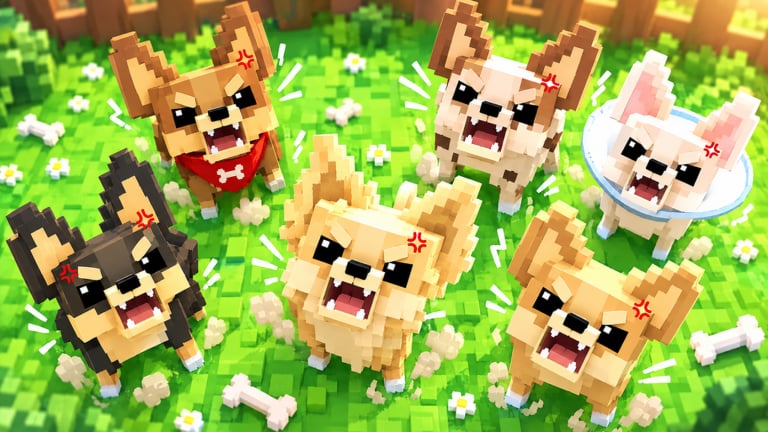
Mad Chihuahua sells the fantasy of a living pack. Your Chihuahuas follow as pets, perform tricks, and look fantastic in screenshots — but only after the economy loop works. This guide covers trick basics, photo setups, follower quirks, and how to show off without blocking deposits on a six-player server.
What the pack can do
Dojo Empire highlights tricks such as Sit, Belly Up, and Bang! Open the pack / emote panel tied to your dogs and fire each animation once so you know the control. Tricks do not replace Bones or Cash. They are expression tools layered on top of the tycoon loop described in Getting Started.
Higher-tier dogs from how to merge read better on camera. A clean S-tier earner from the tier list makes Index celebration shots feel earned.
Step-by-step trick session
- Deposit Bones first using how to deposit Bones so you are not ignoring income while posing.
- Move away from shop and deposit pads.
- Open the pack panel and trigger Sit, then Belly Up, then Bang!.
- Reposition the camera for a clean background.
- Capture with Roblox’s native camera or record tools.
- Return to merges or Lucky Boxes before the next drip cycle ends.
Photo tips that actually help
- Prefer open plazas or quiet corners over busy HUD-heavy shop floors.
- Frame the Index board in a second shot when you unlock a new dog (complete the Index).
- Avoid stacking twenty emotes — one sharp trick reads better than spam.
- On mobile, lock orientation for steadier framing.
- Lower graphics if a large follower pack tanks FPS; pretty screenshots need a playable frame rate.
Follower quirks and fixes
Owned Chihuahuas trail your avatar automatically. After lag spikes they may freeze. Walk a few steps or rejoin. Sticky followers are common on young Roblox simulations and usually clear without support tickets. If pets vanish after a patch, check Updates before assuming a wipe.
Multiplayer etiquette for show-offs
Servers cap at six players. Rules of thumb:
- Never AFK on deposit or shop interactables while filming.
- Do not block another player’s merge UI with your pack.
- Skip password scams and “hold my dog” trades — progress is account-bound.
- Share routes with links to the Guides Hub instead of gatekeeping.
When tricks fit the progression plan
Use this schedule:
| Goal | Do this first | Then tricks |
|---|---|---|
| New account | Getting Started + codes | Short Sit test |
| Cash drought | earn Cash fast | Photos after banking |
| Merge clog | how to merge | Flex the new tier |
| Index finish | complete the Index | Celebration Bang! |
Lighting and composition
Roblox lighting swings between bright plazas and shaded corners. Face your pack toward open sky when possible so fur contrast stays readable. Crop out cluttered HUD edges by tilting the camera slightly downward. If you unlock a rare Index dog, shoot one wide pack shot and one close portrait before the celebration emote spam starts. Pair those photos with a quick deposit so the session still advances Cash.
Practice drills between drip cycles
While Bones accumulate, run a short drill: Sit → walk five studs → Belly Up → Bang! → deposit. The drill trains muscle memory without parking on pads. After merges, pose the new tier once, then return to earn Cash fast priorities. Treat tricks as a reward loop bolted onto the tycoon, never as a substitute for banking.
Related reading
- Broader player culture: Players Hub
- Income priority: best Chihuahuas and merge priority
- Boxes that fill the pack: Lucky Boxes guide
- Official play link and group: Links Hub
Play Mad Chihuahua as both a tycoon and a pet sandbox. Bank the Bones, merge the pairs, then let the pack perform — that order keeps the cute moments sustainable.
Frequently Asked Questions
Quick answers for Mad Chihuahua players.
Do pack tricks increase Bone income?
No. Tricks are for expression and photos. Income still comes from deposits, merges, and better dogs.
Which tricks does Mad Chihuahua advertise?
Sit, Belly Up, and Bang! are the highlighted pack tricks in the official description.
Why did my Chihuahuas stop following me?
Lag or a sticky follower state. Walk, rejoin, or reload after a patch listed on Updates.
Can I take photos on mobile?
Yes. Use the mobile camera or record tools after moving off busy deposit pads.